Grindset
Product Design & Development · 2024 · grindset.cafe
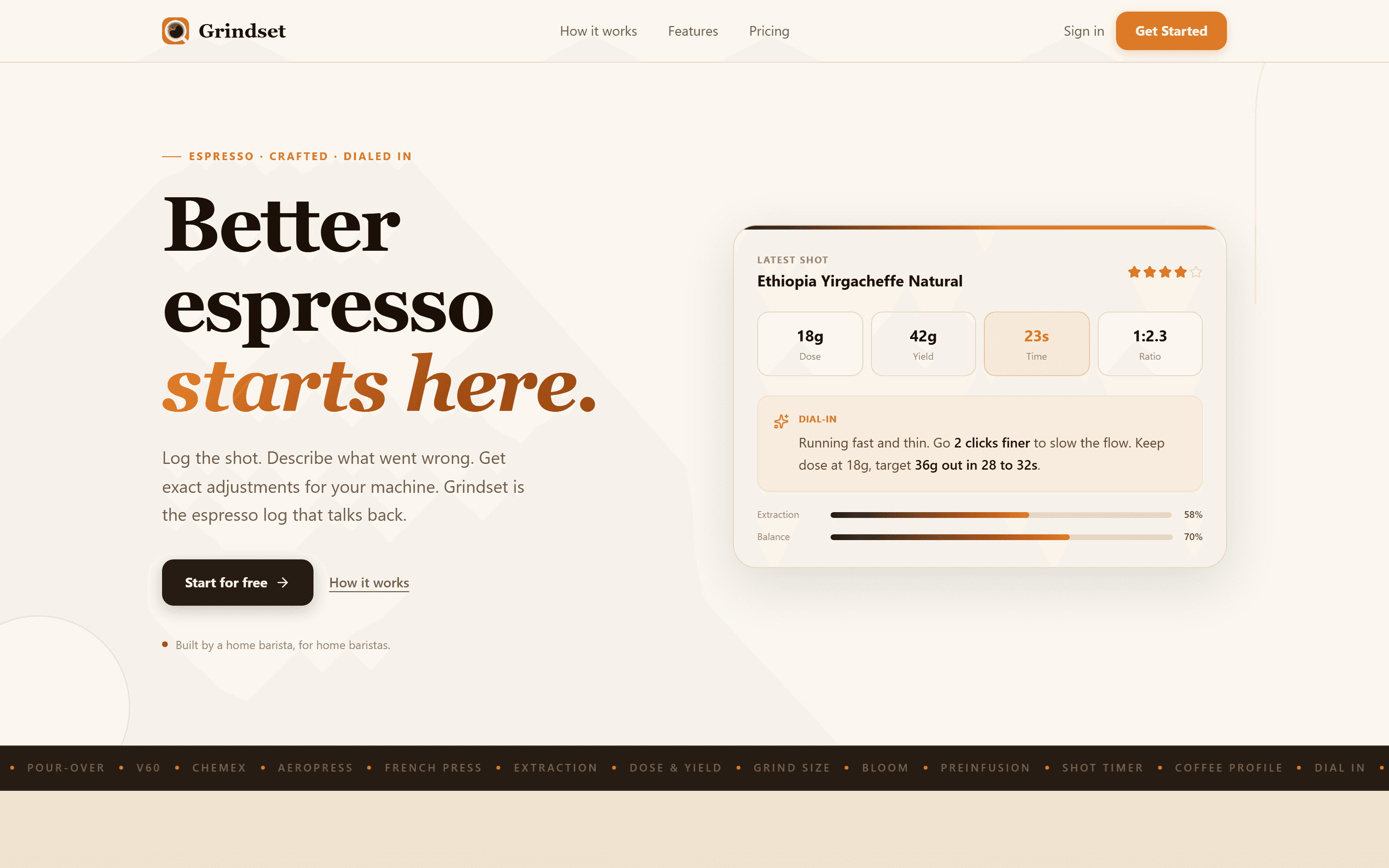
An AI-powered espresso companion I conceived and designed. The app that thinks with you, not just logs for you.
Why I built this
I pull espresso every morning. For months, I kept a spreadsheet to track my shots: dose, yield, time, grind setting, and tasting notes. The spreadsheet got long. It told me what happened but never what to change. I'd stare at 40 rows of data and still not know whether to go finer or coarser.
Existing apps were either glorified timers or built for professional baristas with $10,000 machines. Nobody was designing for the home enthusiast who owns a Gaggia Classic and a Rancilio Rocky and just wants to stop pulling sour shots.
The core insight
A shot logger that doesn't tell you what to do next is a spreadsheet with a nicer UI. The app needed to know your equipment and give you specific, plain-English adjustmentsbased on what you described. Not “try adjusting your grind” but “go 2 clicks finer on the Rocky, keep dose at 18g, target 36g out in 28 to 32 seconds.”
That meant three design decisions that shaped everything:
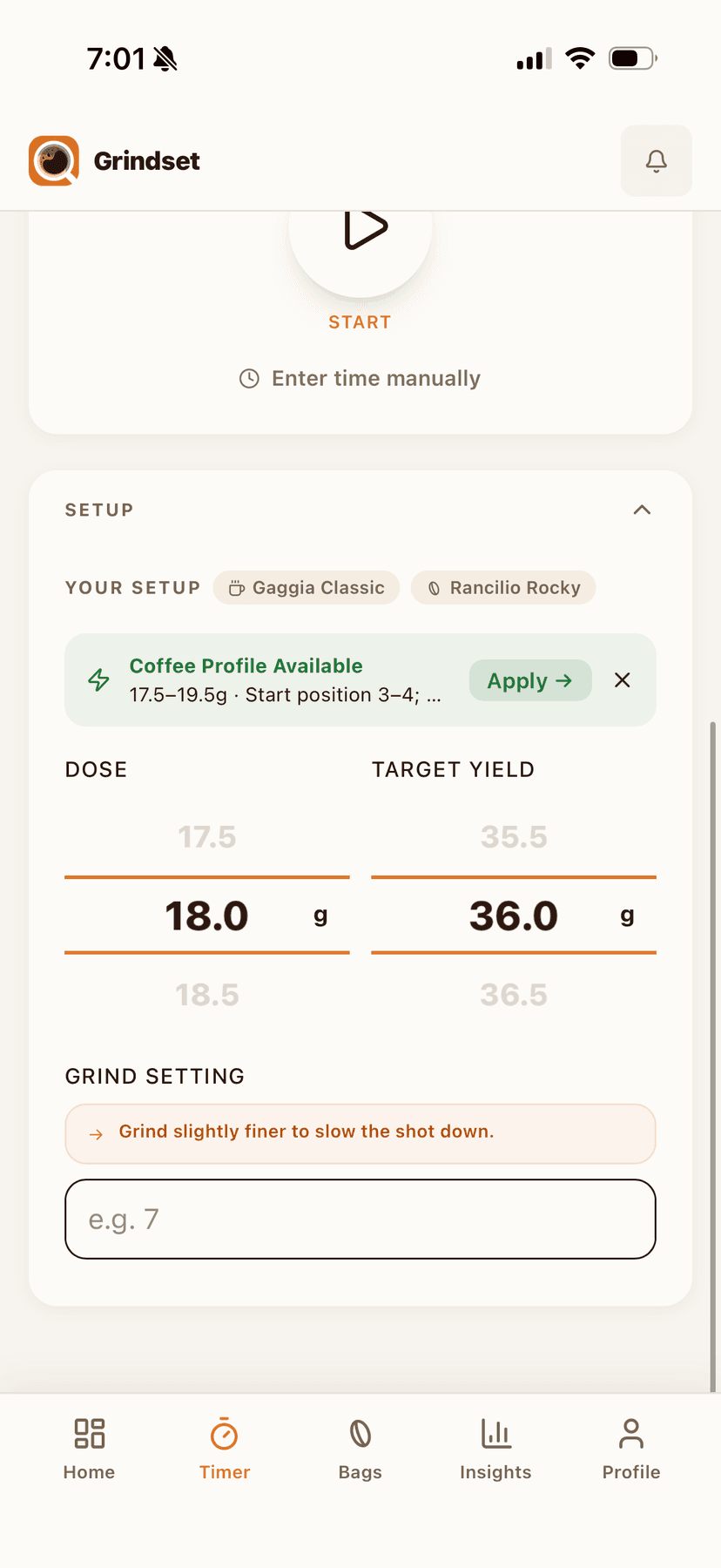
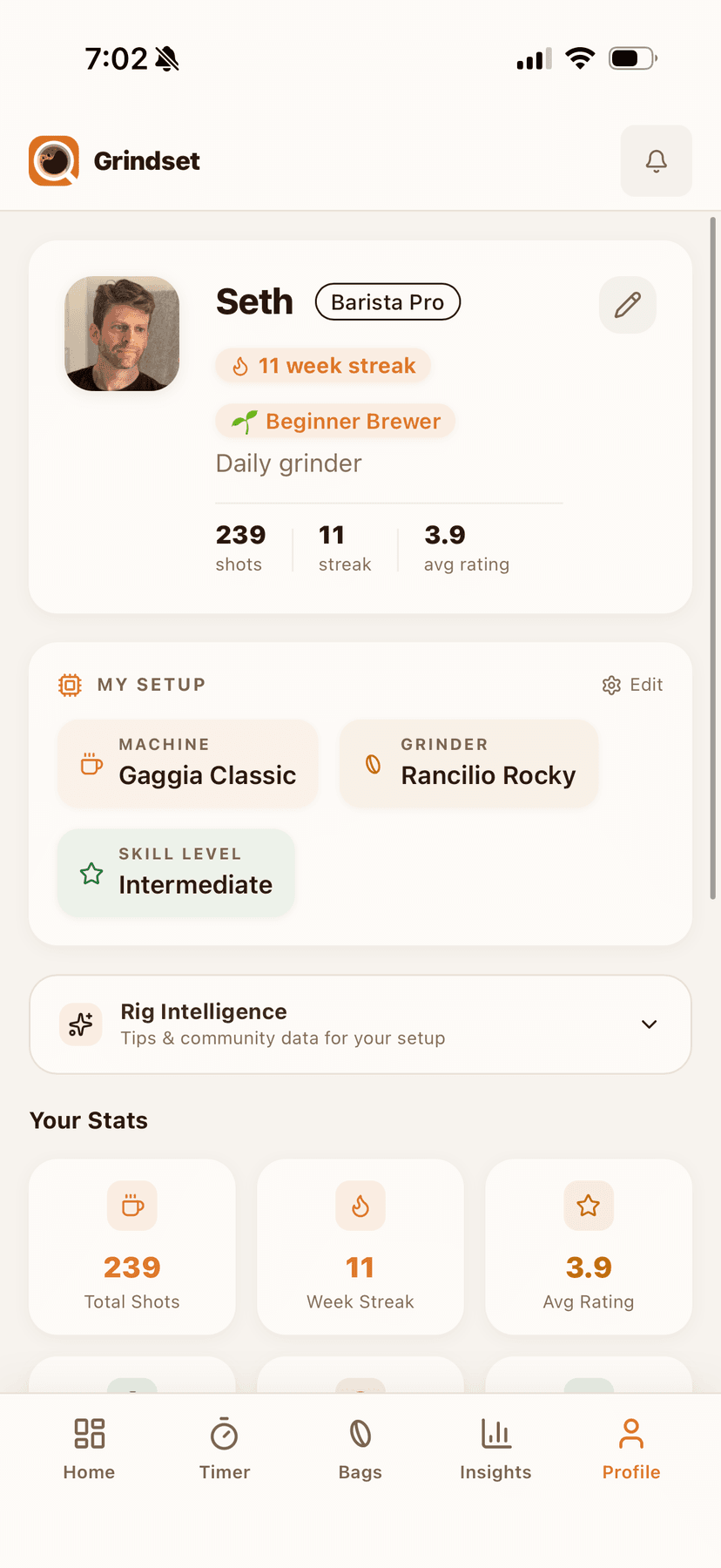
- Equipment profiles. During onboarding, you tell the app your machine and grinder. Every recommendation from that point forward is calibrated to the specific characteristics of your setup. A Gaggia Classic needs temperature surfing. A Breville Barista Express has a built-in grinder with different click increments. The advice changes.
- Natural language input. Instead of dropdowns and sliders, you describe your shot the way you'd tell a friend: “sour and thin” or “bitter, oily, took forever.” The AI parses this into extraction diagnostics and responds accordingly.
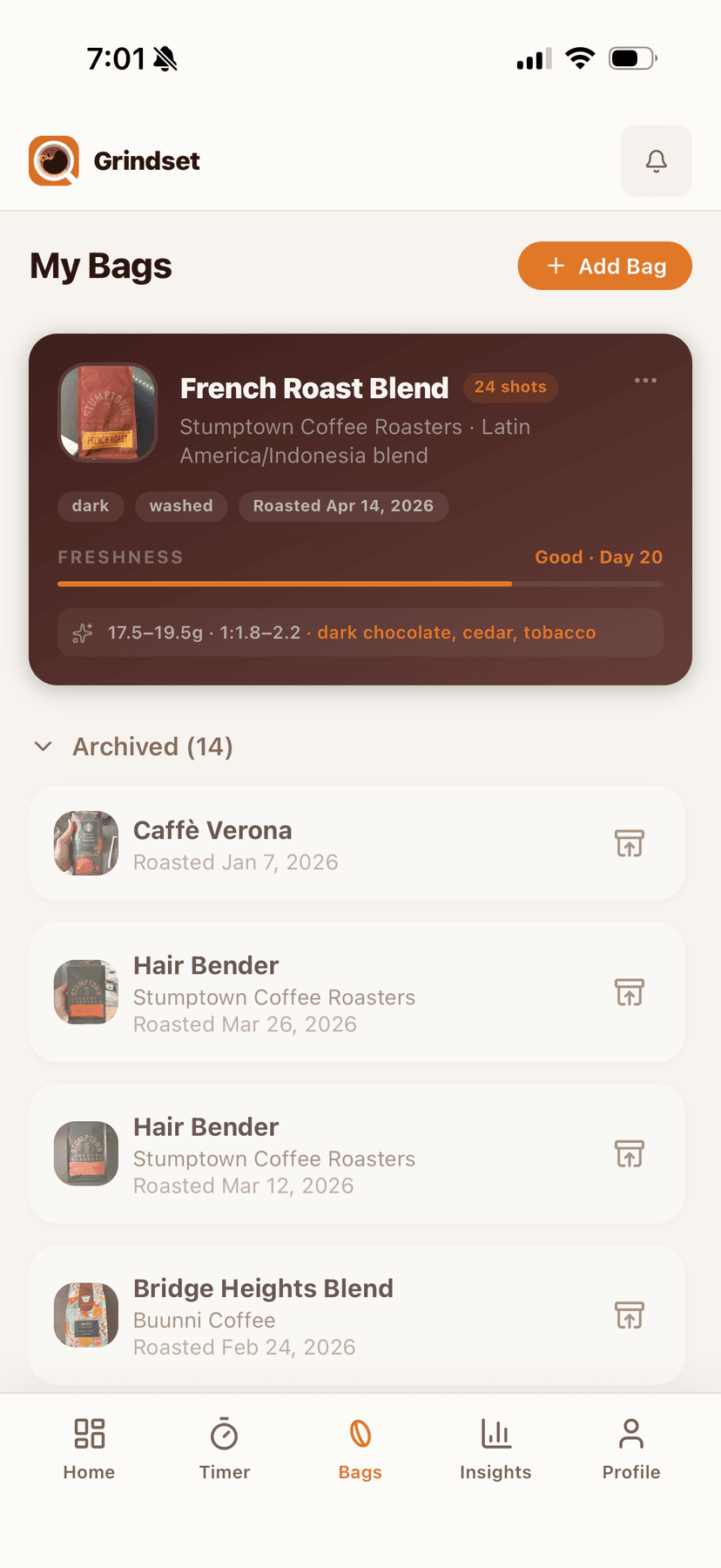
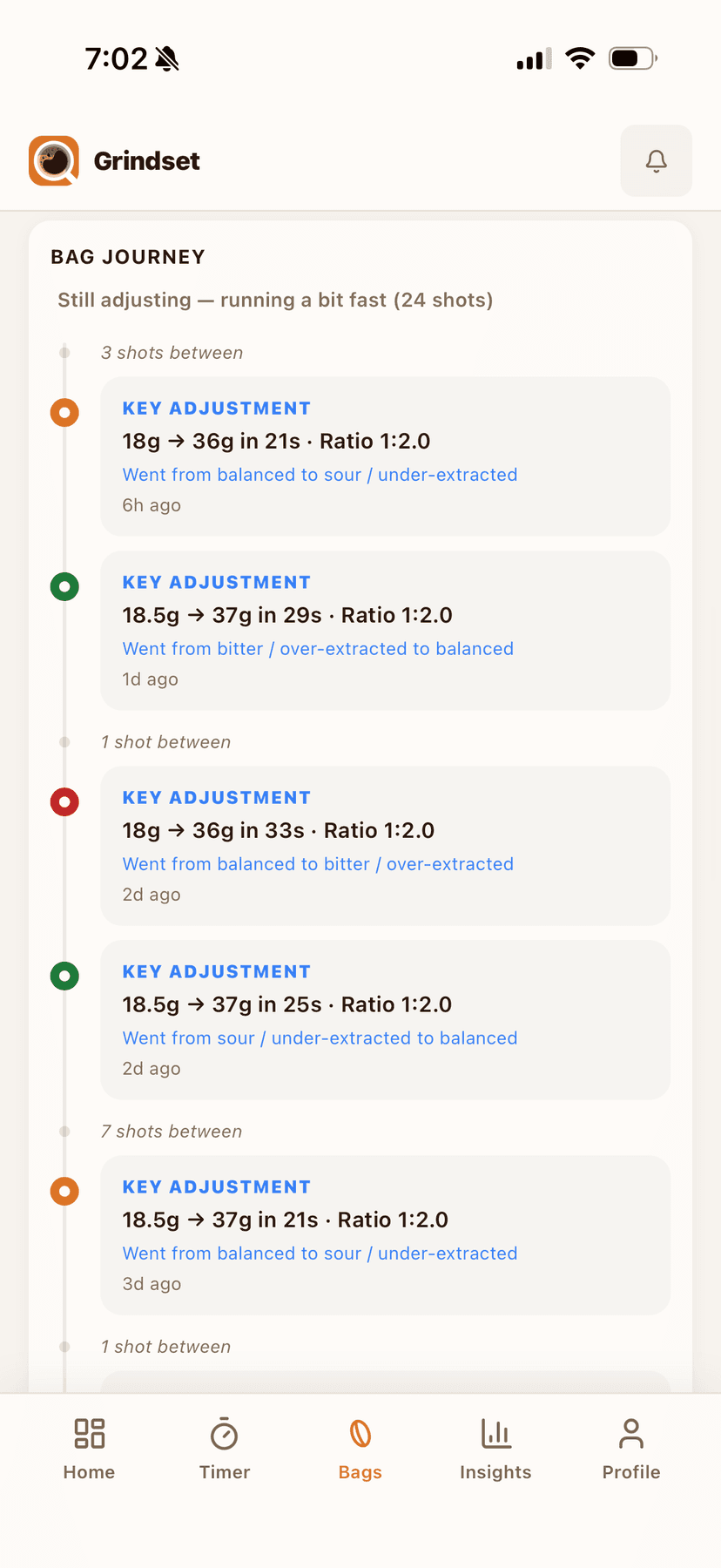
- Bag-centric organization. Shots aren't a flat list. They're grouped by coffee bag, because dialing in is a journey per bean. You can see your progress from first pull to locked in.
Key screens
Dashboard
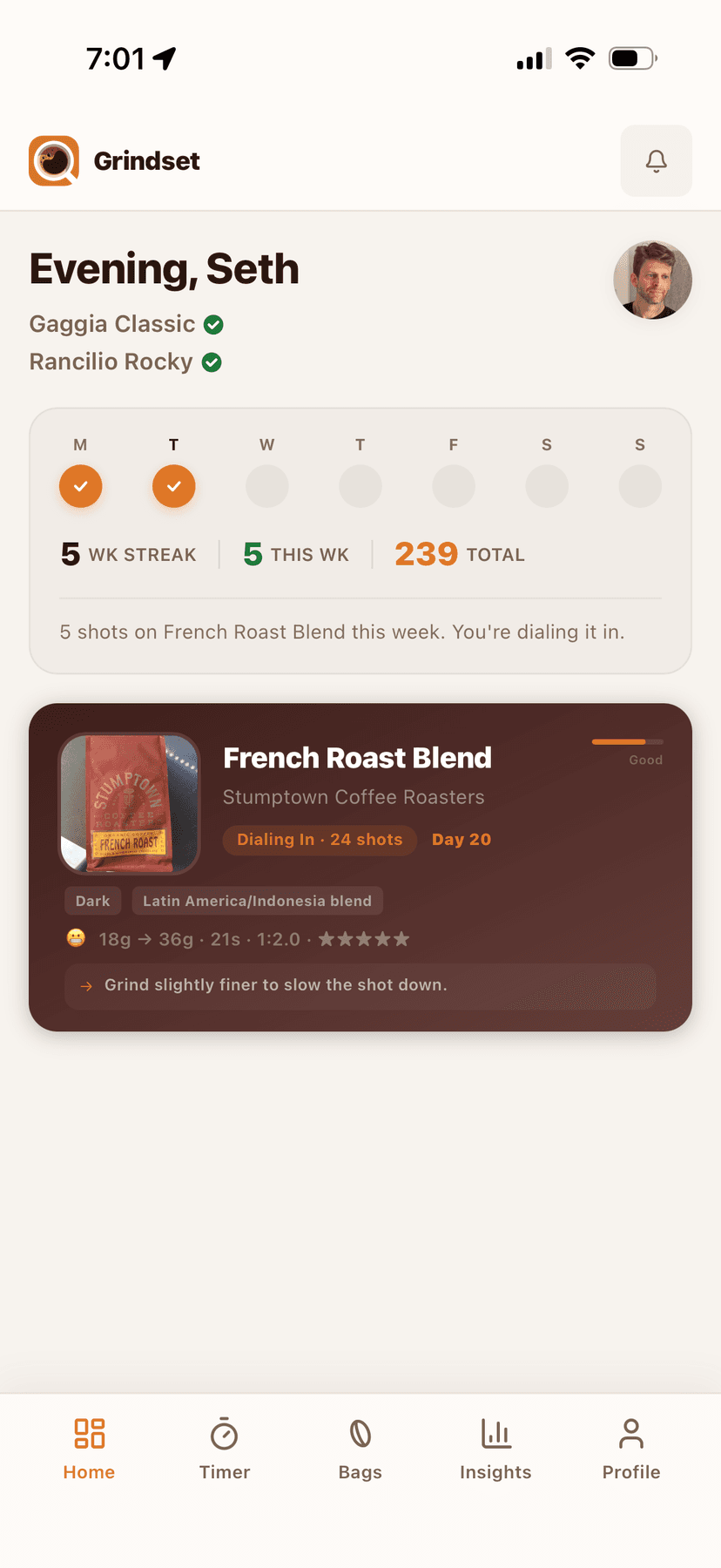
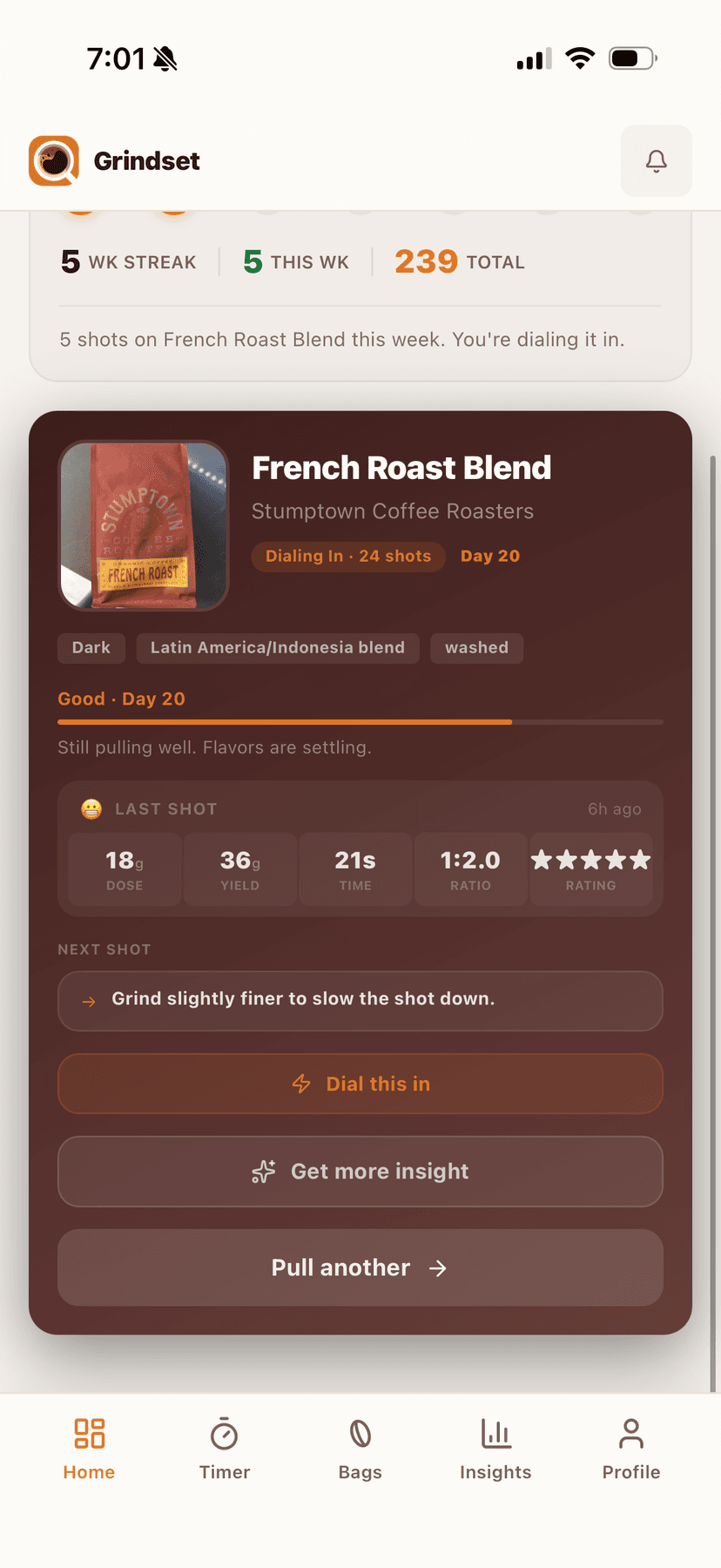
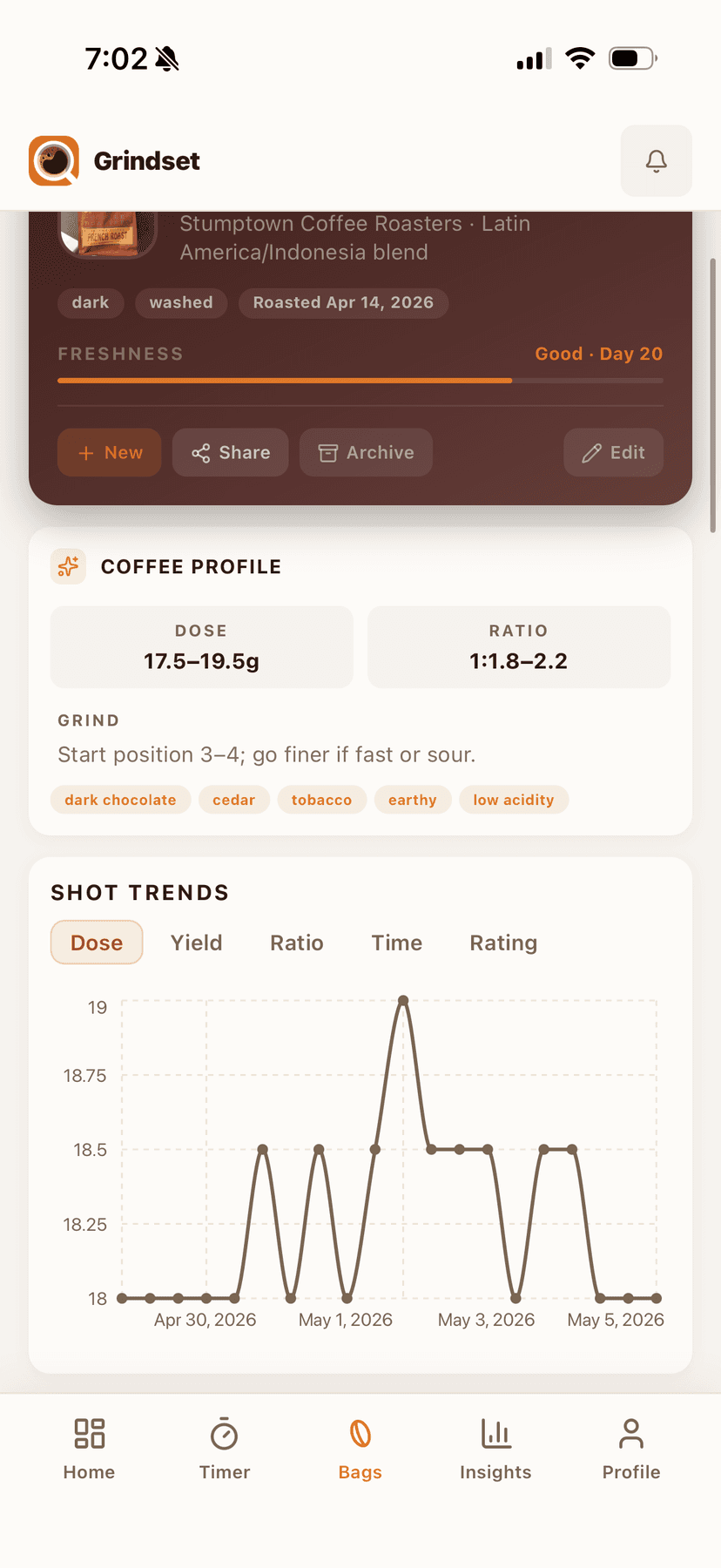
I went through several iterations on the home screen. The first version showed every metric I could think of. It was overwhelming. I stripped it back to what you actually need when you walk up to your machine in the morning: your current bag, your last shot's parameters, and whether you're dialed in or still adjusting.
The timer
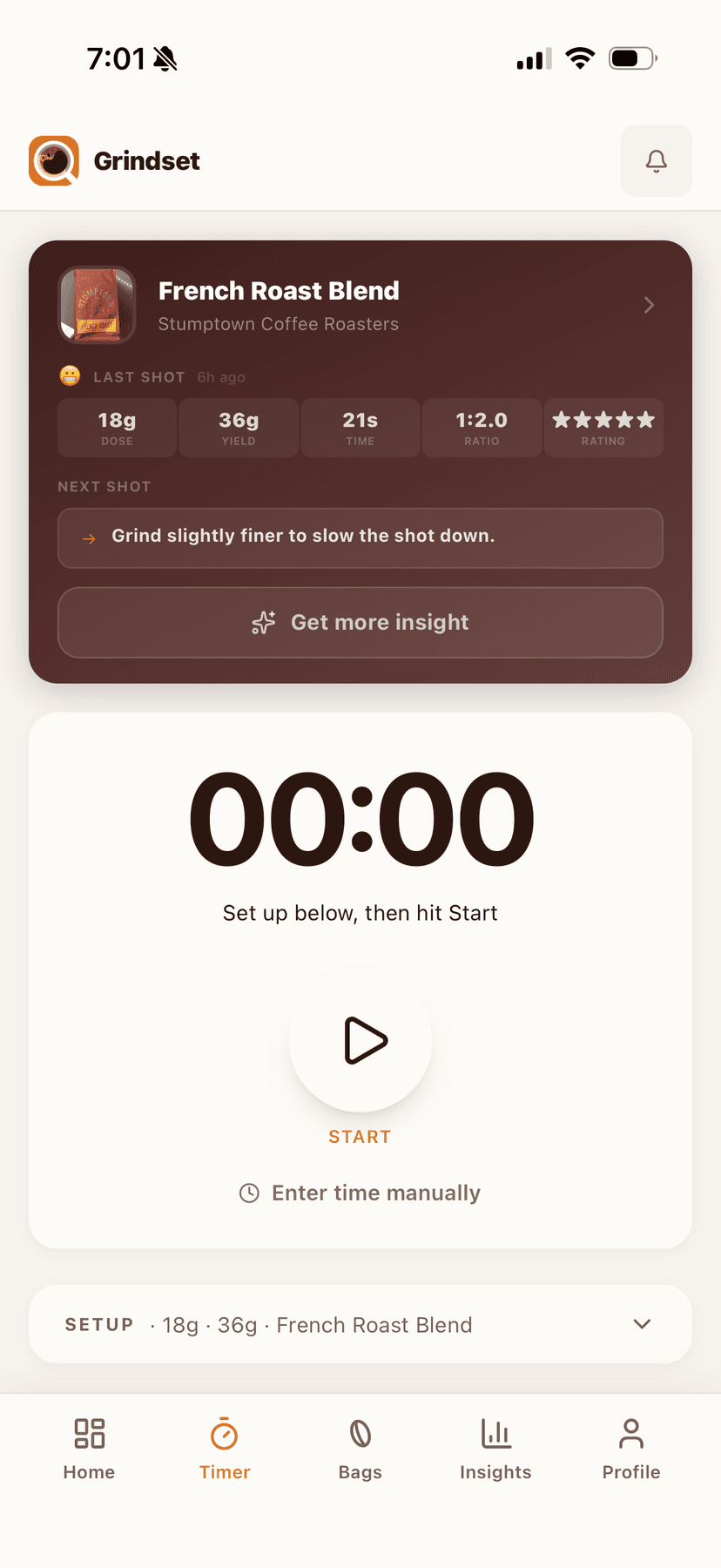
The timer is intentionally simple. It knows your current bag, your last shot's parameters, and your equipment. When you stop the timer, it already has context. You don't re-enter your dose and yield every time. One tap to start, one tap to stop, then describe how it tasted.
AI Dial-In
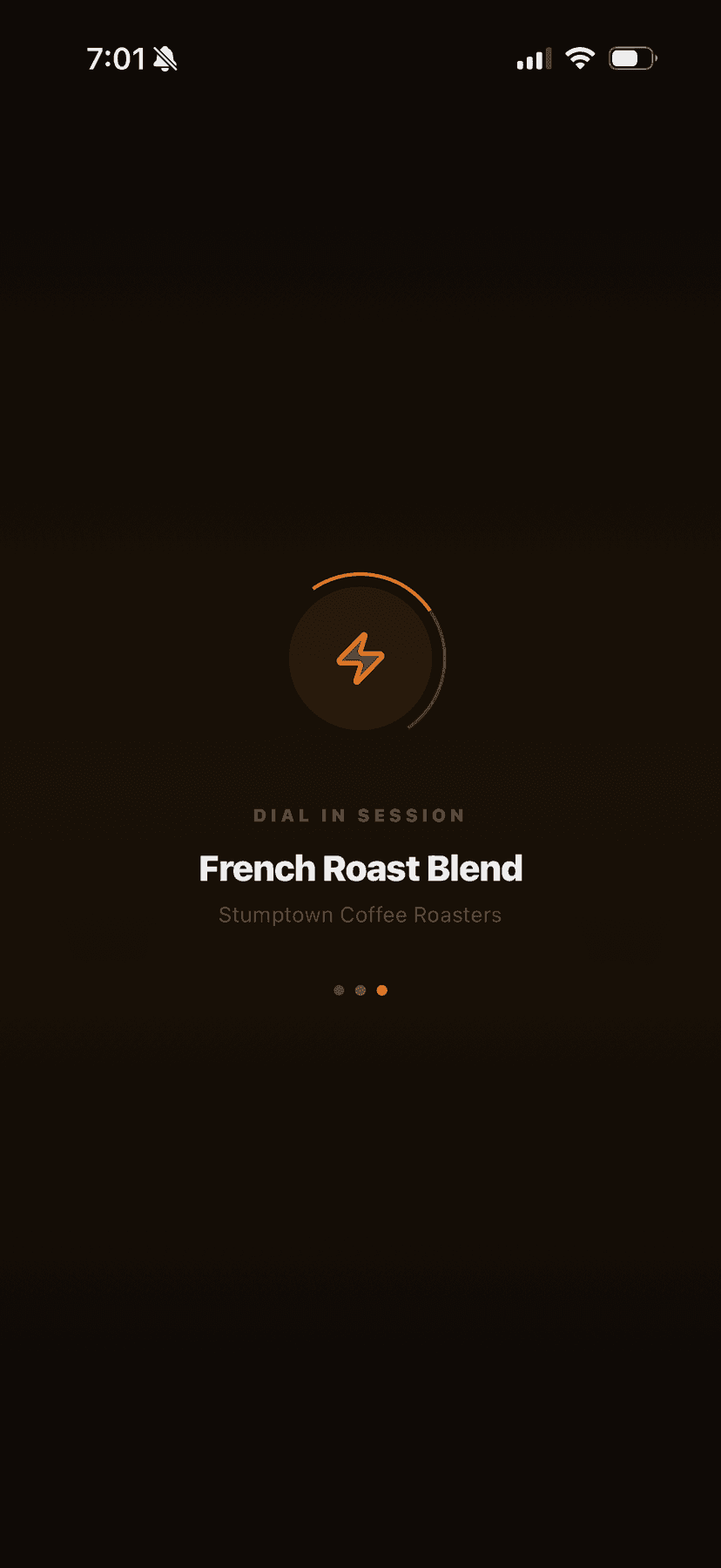
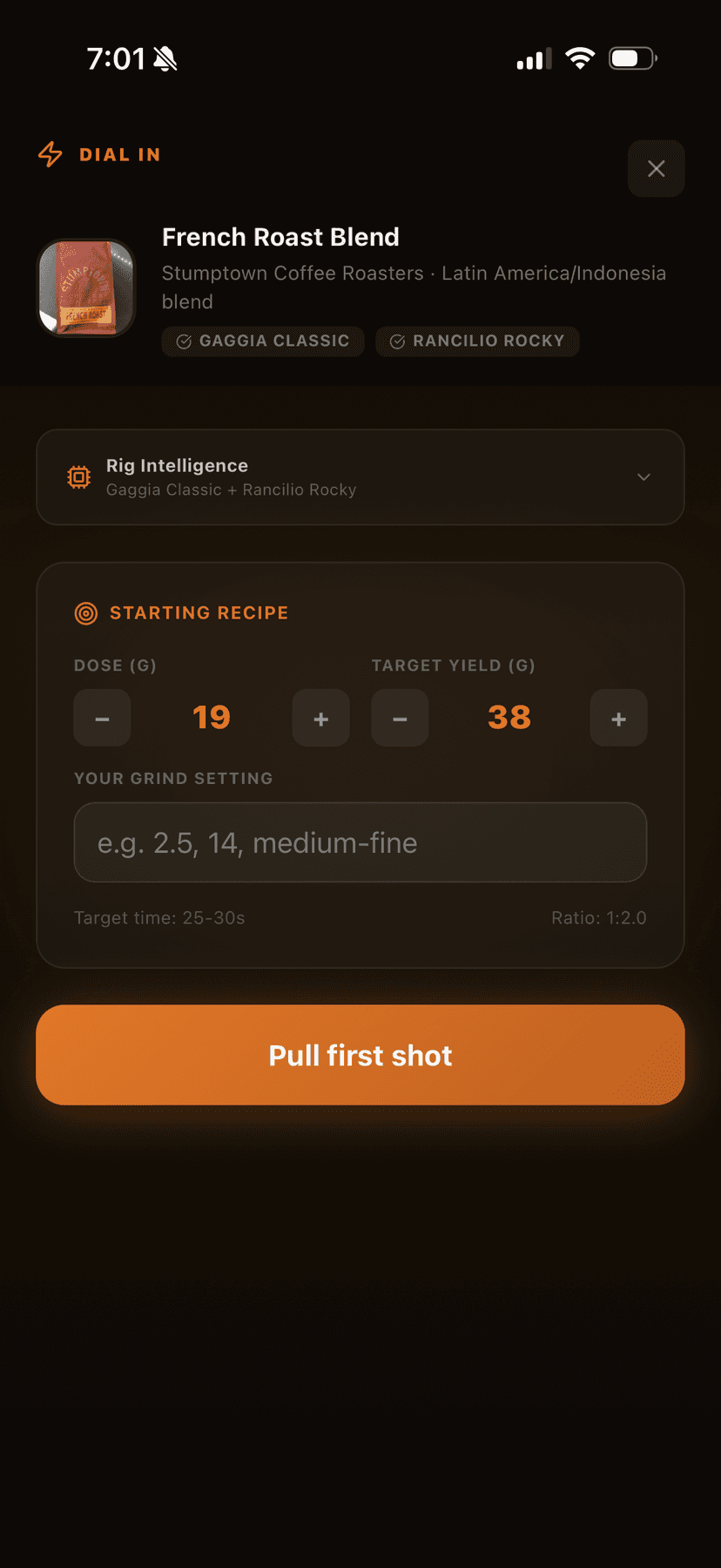
This is the feature that justifies the app's existence. After you log a shot and describe the taste, Dial-In reads your full history with this bag, your equipment profile, and your description. It returns a specific next step.
I spent a lot of time on the prompt engineering here. Early versions gave generic advice (“try a finer grind”). I rewrote the system prompt to include the grinder's click-to-micron relationship, the machine's pressure profile, and the user's recent trajectory. The difference was night and day. Now it says things like “You've been oscillating between sour and bitter for 3 shots. Your dose is fine. Go 1 click finer and pull shorter, targeting 34g instead of 37g.”
Design decision:I considered showing the AI's reasoning (extraction percentage, TDS estimates) but as someone pulling shots daily, I knew what I actually wanted to hear: just tell me what to change. So I hid the technical details behind a disclosure and led with the action.
Insights and Rig Intelligence
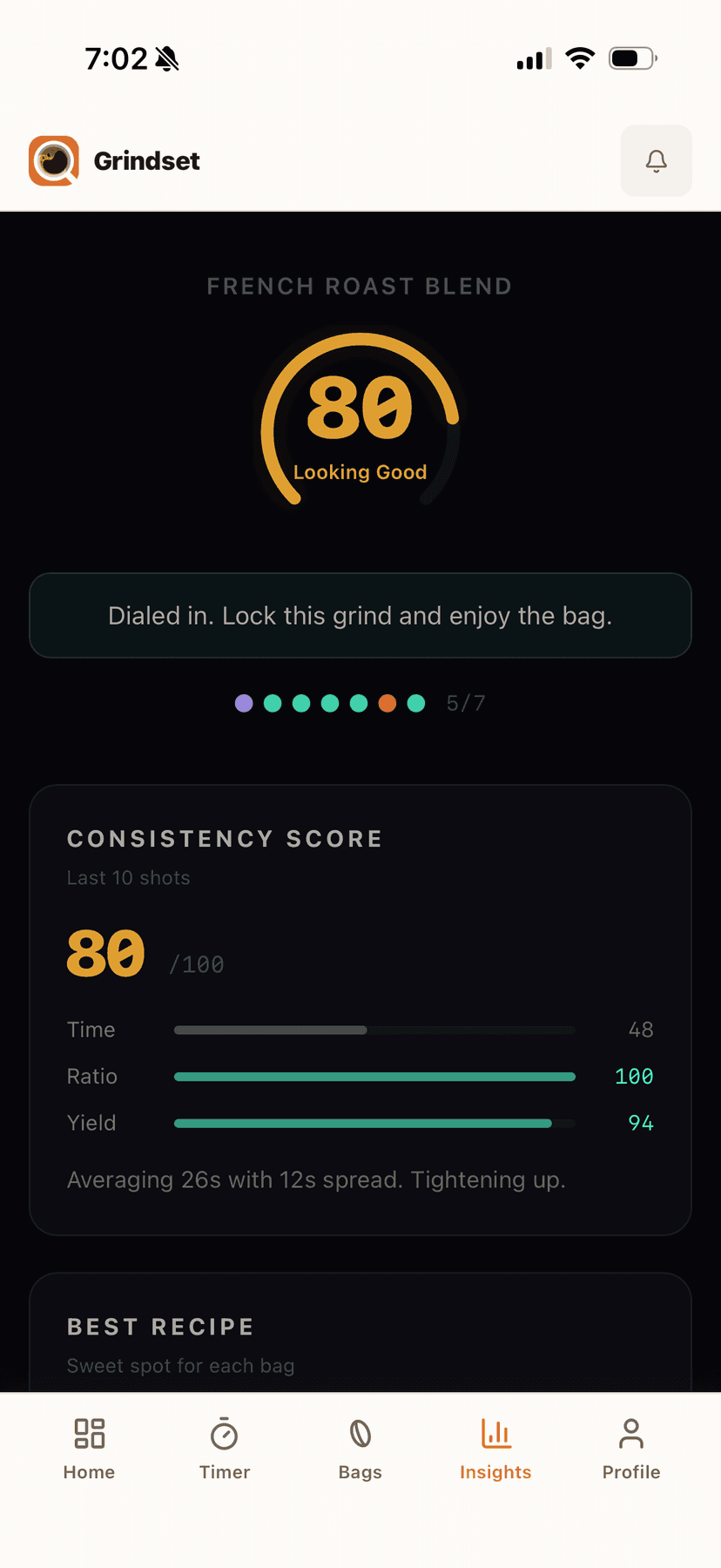
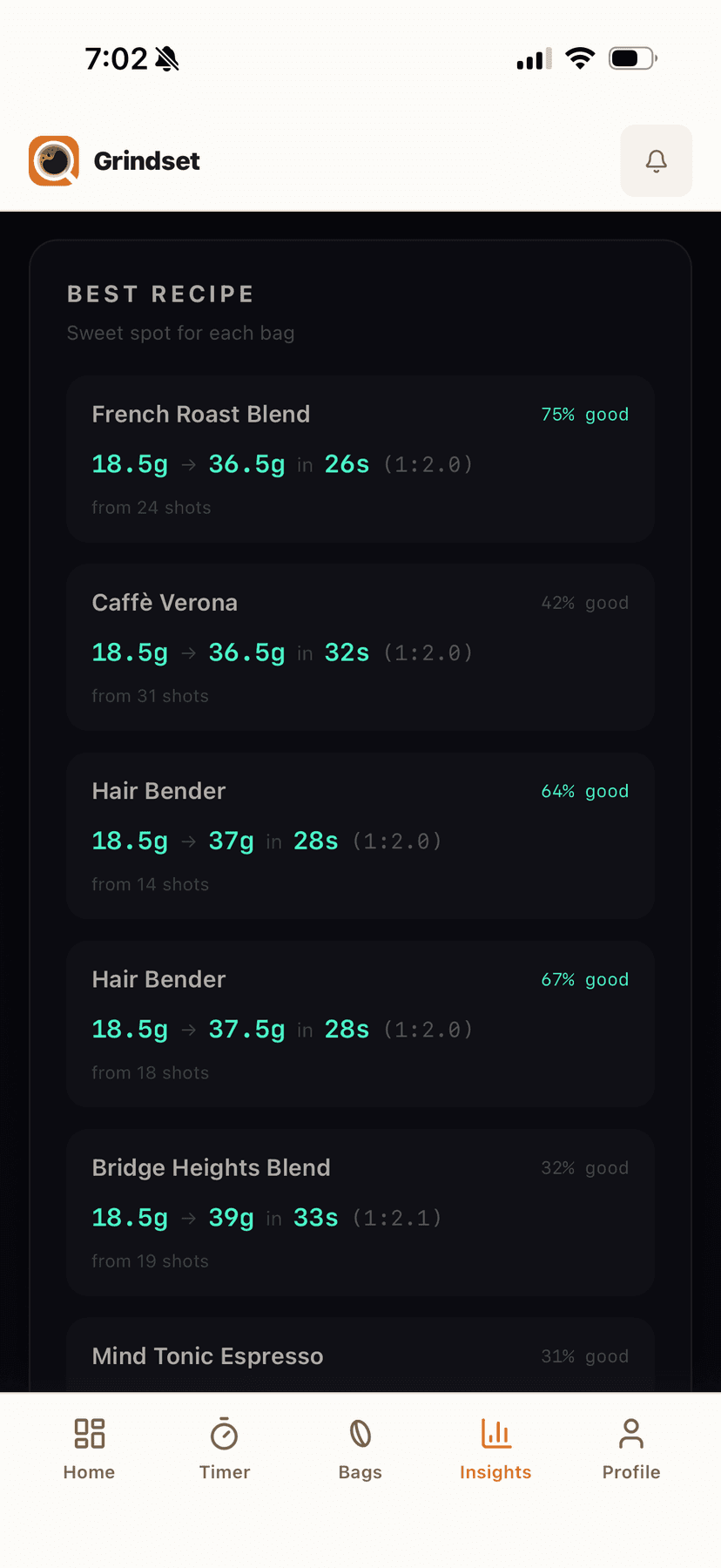
Consistency scoring tracks how repeatable your shots are. This was a late addition that came from my own frustration: I'd think I was dialed in, then pull a bad shot and not know if it was the grind or just variance. The score surfaces patterns over your last 10 shots so you can tell whether a bad shot is noise or a real problem.
Rig Intelligence was the most fun to design. It reads your equipment profile and generates tips specific to your setup. If you have a Gaggia Classic, it knows about temperature surfing. If you have a pressurized basket, it tells you to upgrade. If you have a stepped grinder, it adjusts its recommendations to match your click increments instead of suggesting fractional changes you can't make.
Technical decisions
Grindset is built with Next.js, Tailwind, Supabase, Stripe, and an LLM API for the coaching features. A few decisions worth noting:
- PWA over native. I considered React Native but decided against it. My users are home espresso enthusiasts who pull 1-2 shots a day. They don't need push notifications or offline access. A PWA installable from the browser was the right tradeoff: faster to build, one codebase, and no App Store review process.
- Freemium with Stripe. Free tier gets unlimited logging and 2 AI reads per month. $5/month Barista tier unlocks unlimited everything. I chose this over a trial because I wanted people to actually use the logger before hitting the paywall. The AI features sell themselves once you've logged enough shots to have context.
- LLM selection. I tested multiple models and chose the one that best followed structured prompts for equipment-aware recommendations without adding generic disclaimers.
What I'd do differently
- The onboarding flow asks too many questions. I'd reduce it to machine and grinder only, then progressively collect the rest (basket type, water, etc.) over the first few sessions.
- I underestimated how much time I'd spend on edge cases in the AI responses. Users describe shots in wildly creative ways, and the system has to parse all of it into actionable diagnostics.
Outcome
Grindset is live at grindset.cafe with paying subscribers. I conceived the product, designed every screen, made every product decision, and shipped it to production.