ColdSnap
Product Design & Development · 2024 · coldsnap.app
A field service app for HVAC technicians. Smart diagnostics, dispatch, invoicing, and offline reference tools. Designed for the attic.
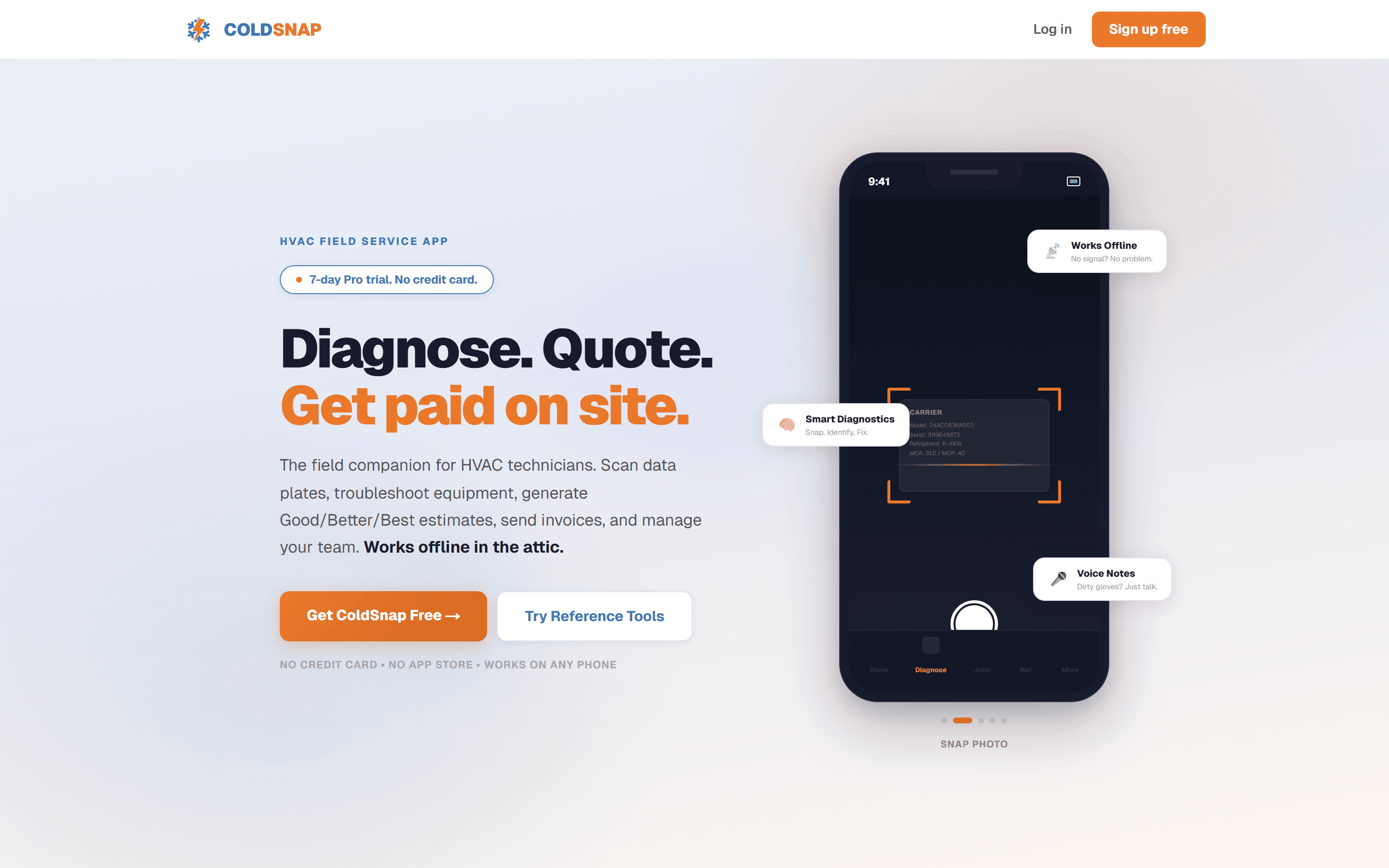
Why I built this
My dad owned an HVAC company until I was 21, so I grew up understanding how the business operates. Recently, after researching the industry, I realized how broken the software tools are for technicians in the field. They work in 140-degree attics where their phones barely function, let alone load a cloud-dependent web app. When they need to look up a pressure-temperature chart or calculate superheat, they use laminated paper cards they keep in their trucks.
I looked at the market. ServiceTitan ($245+/month), Jobber ($39+/month), Housecall Pro ($49+/month). All built for dispatchers sitting at desks, not technicians standing on ladders. None of them work offline. The reference tools that techs actually need in the field don't exist in any of them.
Designing for the field
This was the most interesting design challenge I've worked on. The user isn't sitting at a desk with a mouse. They're holding a phone in one hand with dirty gloves, squinting at the screen in direct sunlight or a dark crawl space, and they need an answer in seconds.
Every design decision filtered through that constraint:
- Large tap targets everywhere. Minimum 48px. No small icons that require precision tapping with sweaty fingers.
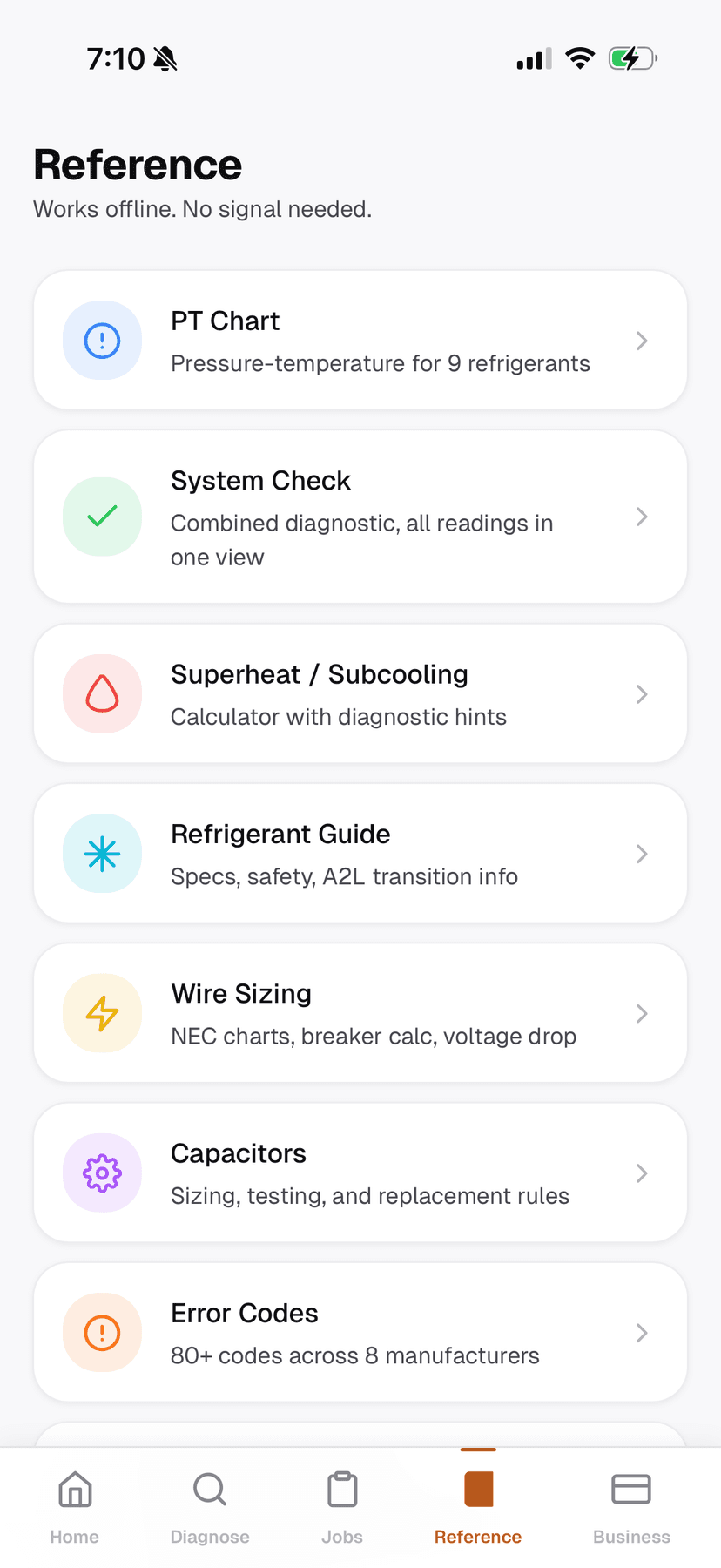
- Offline-first reference tools. PT charts, wire sizing tables, capacitor lookup, error codes. All bundled client-side. Zero network dependency.
- Voice notes instead of typing. Emergency Notes let techs capture diagnostic findings by talking. Nobody types a paragraph about a compressor failure while standing on a roof.
- Progressive complexity. A solo tech sees a simple dashboard. A shop owner with 4 techs sees dispatch, scheduling, and team management. Same app, different surfaces based on role.
Design decision: I debated building separate apps for techs and shop owners. Ultimately I chose one app with role-based navigation because many HVAC businesses are 1-3 person shops where the owner is also the technician. Forcing them to switch between apps would have been friction for my primary user.
Key screens
Tech dashboard
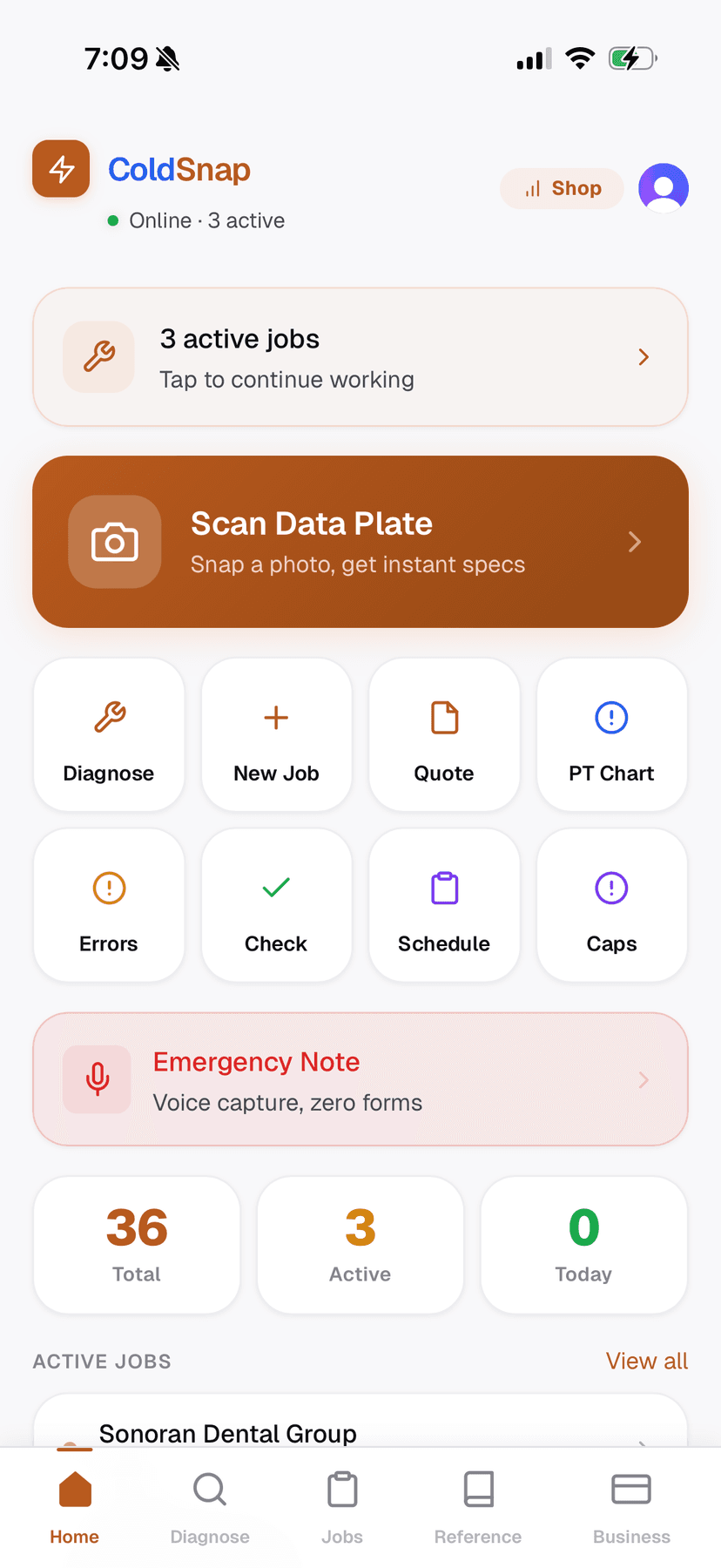
The home screen is a launchpad. The four most common actions (Scan Data Plate, Diagnose, New Job, PT Chart) are the biggest elements on screen. Active jobs appear below. The whole screen is reachable with one thumb.
Command center and dispatch
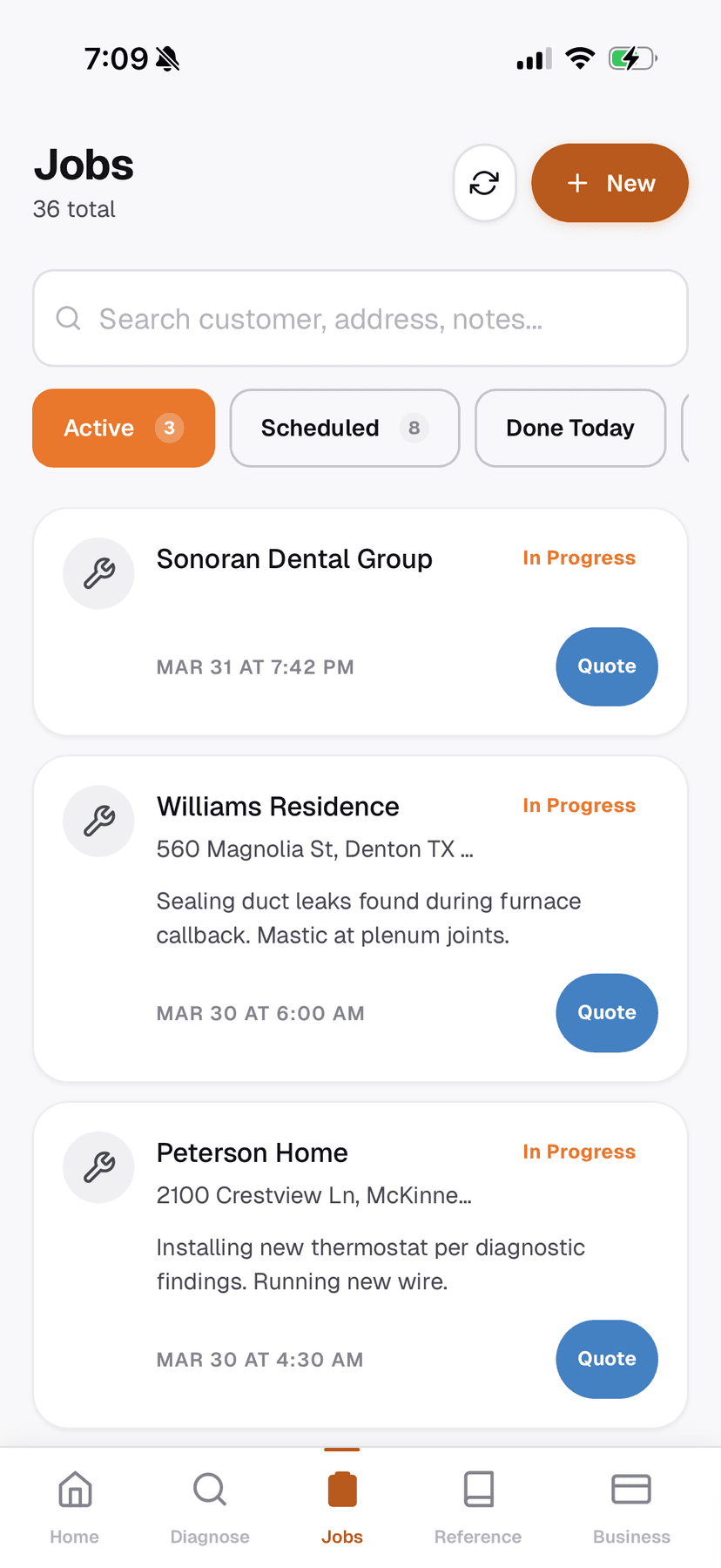
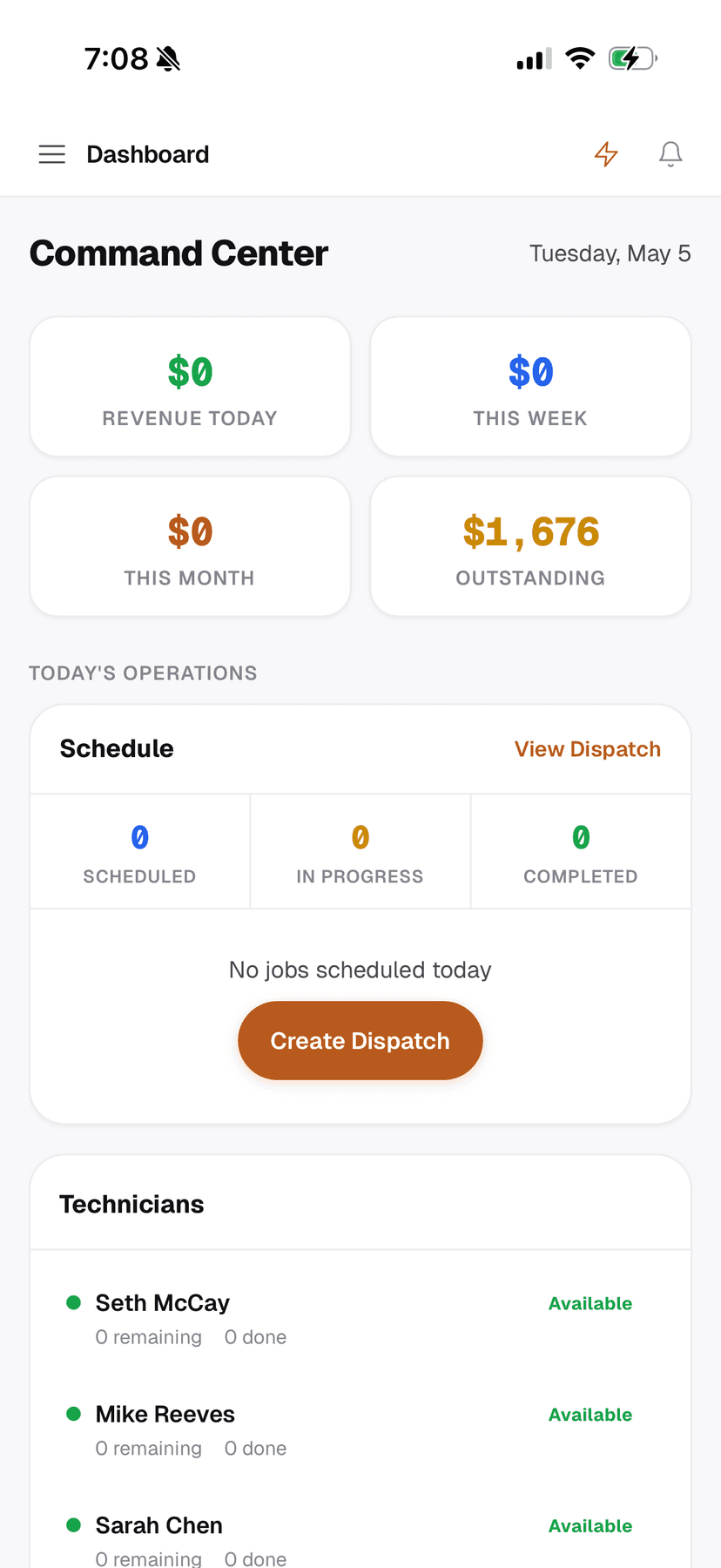
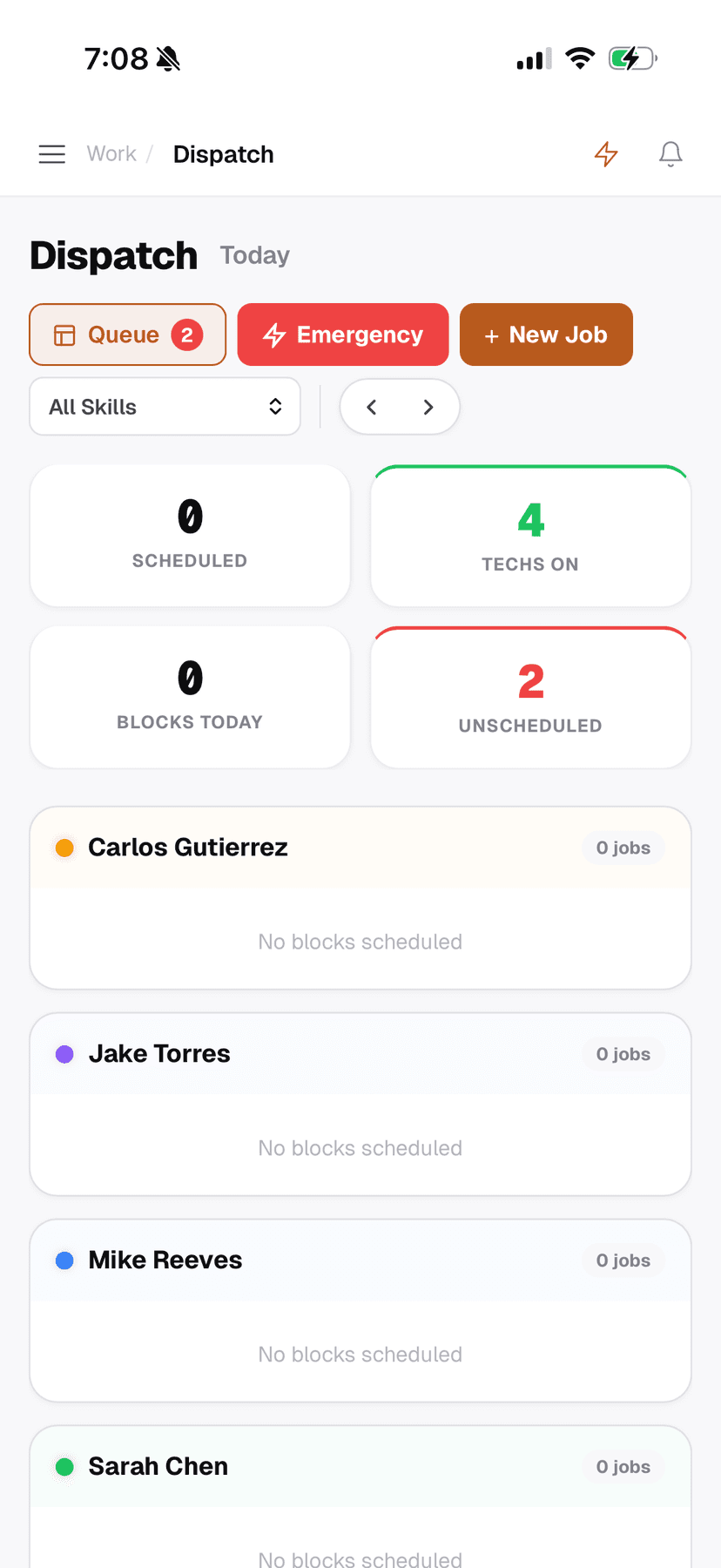
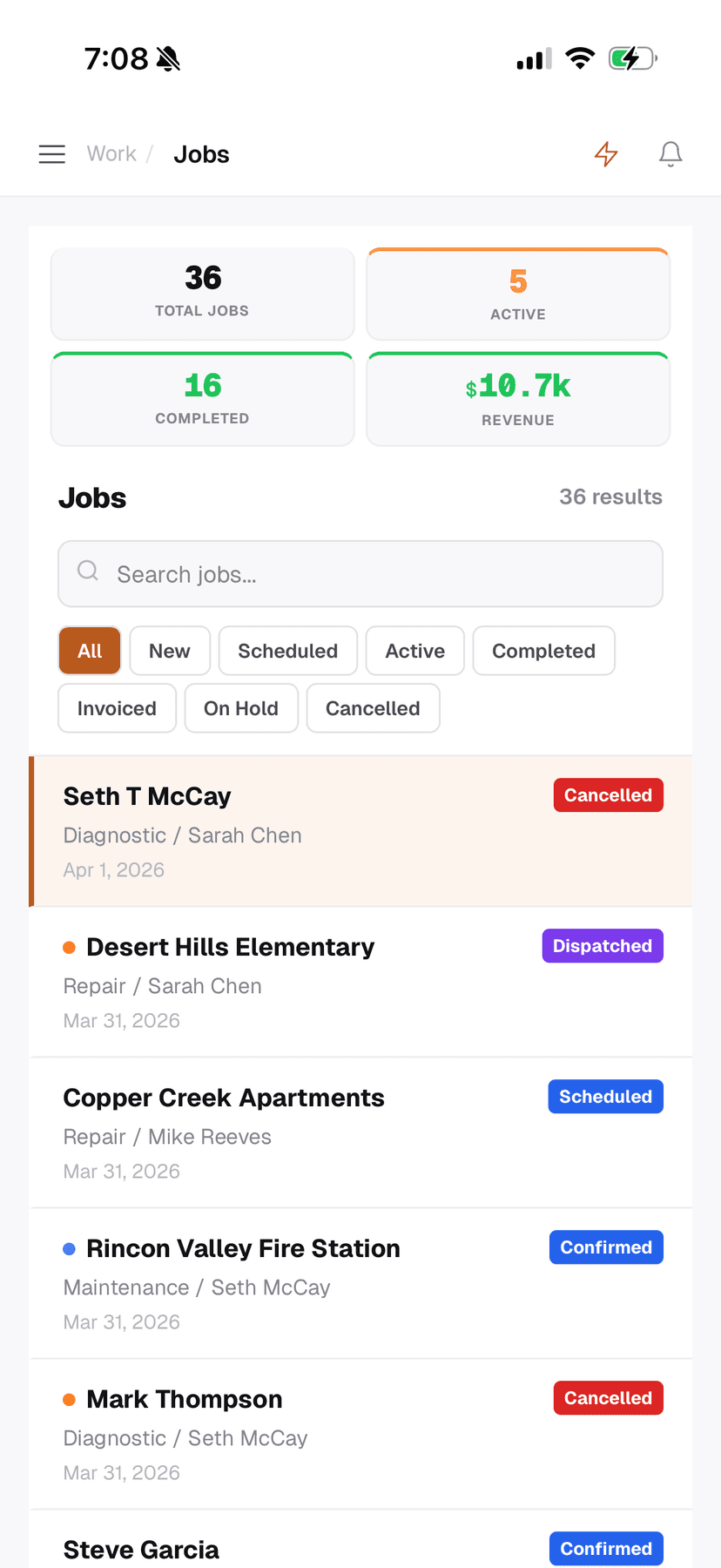
For shop owners managing a team. Revenue tracking, tech availability, job queue, and daily schedule. The dispatch board lets you drag jobs to techs, filter by skill (not every tech can do refrigerant work), and handle emergency calls that jump the queue.
Business tools
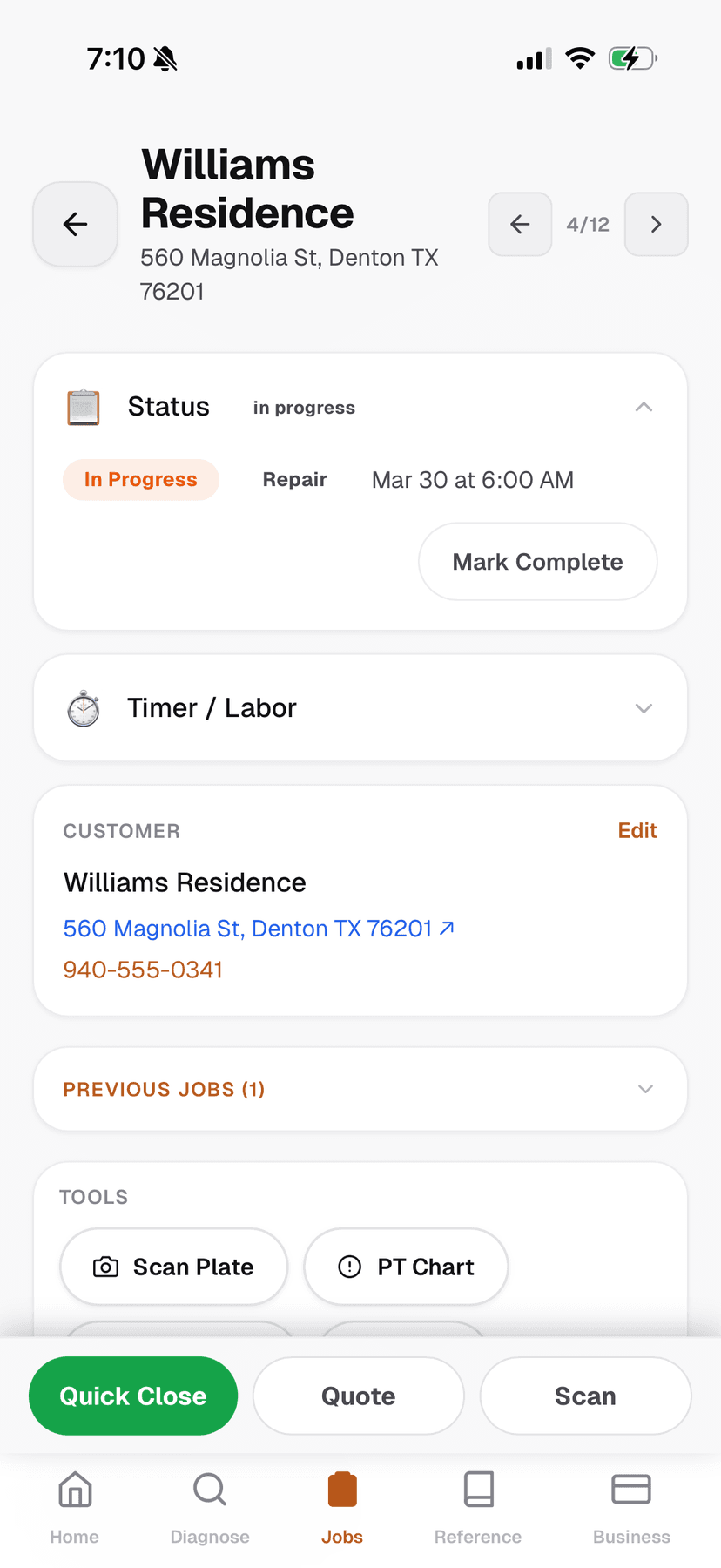
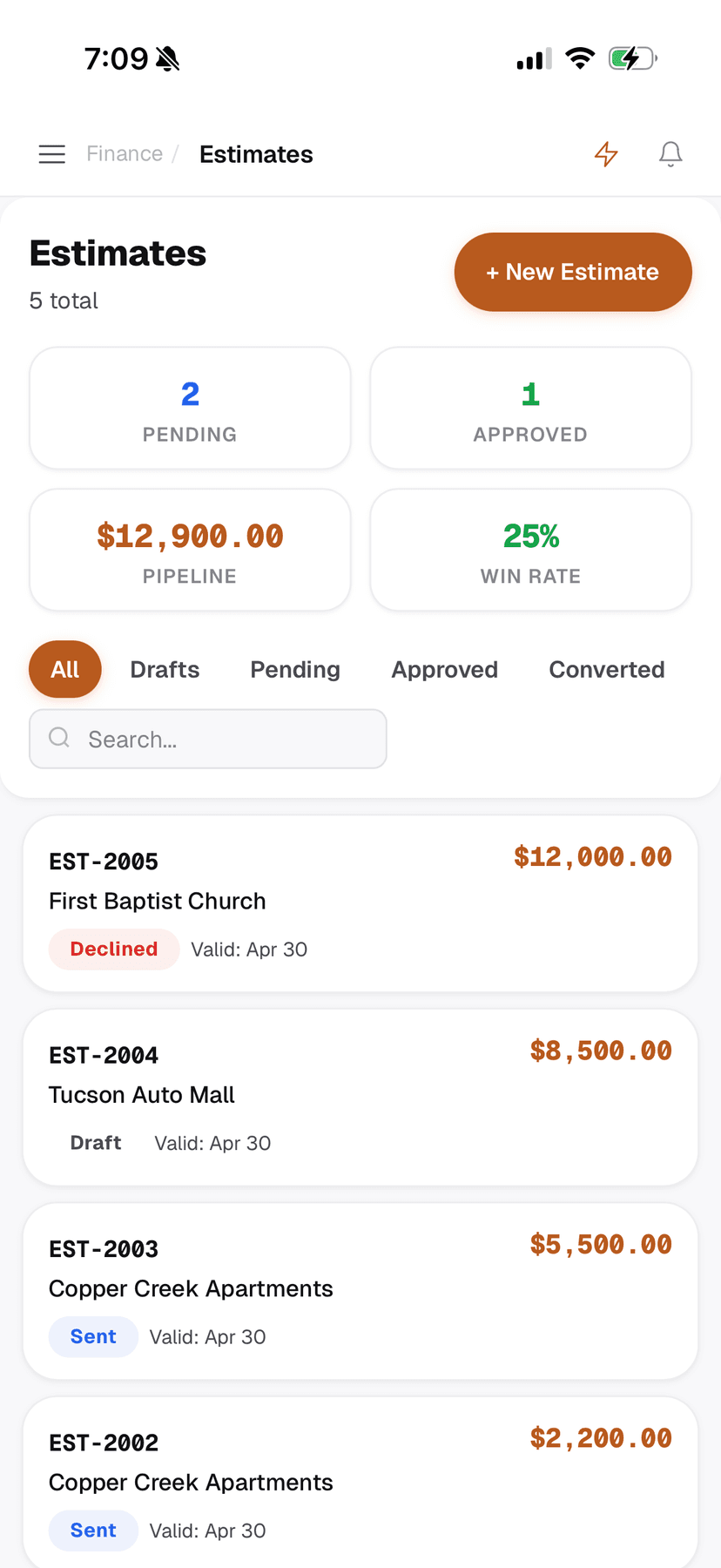
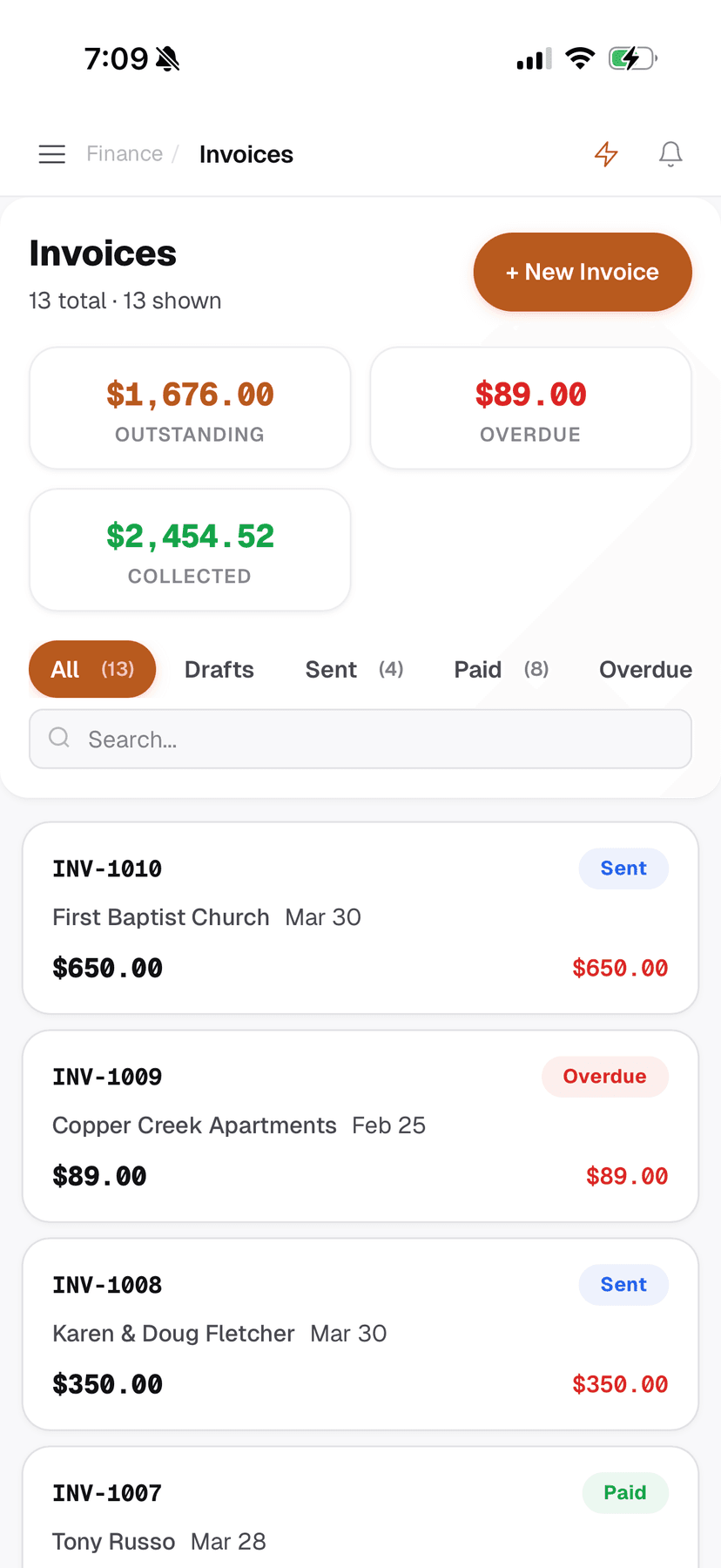
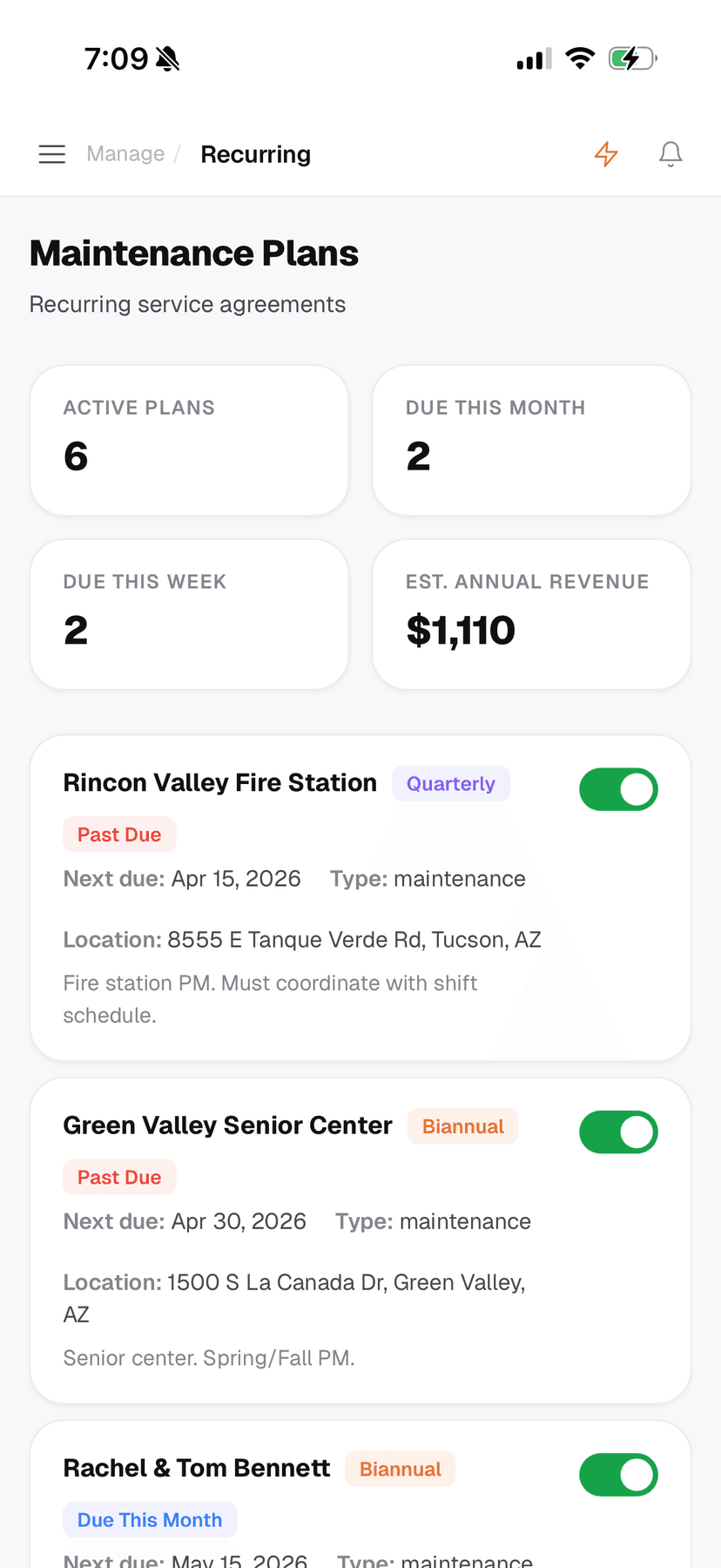
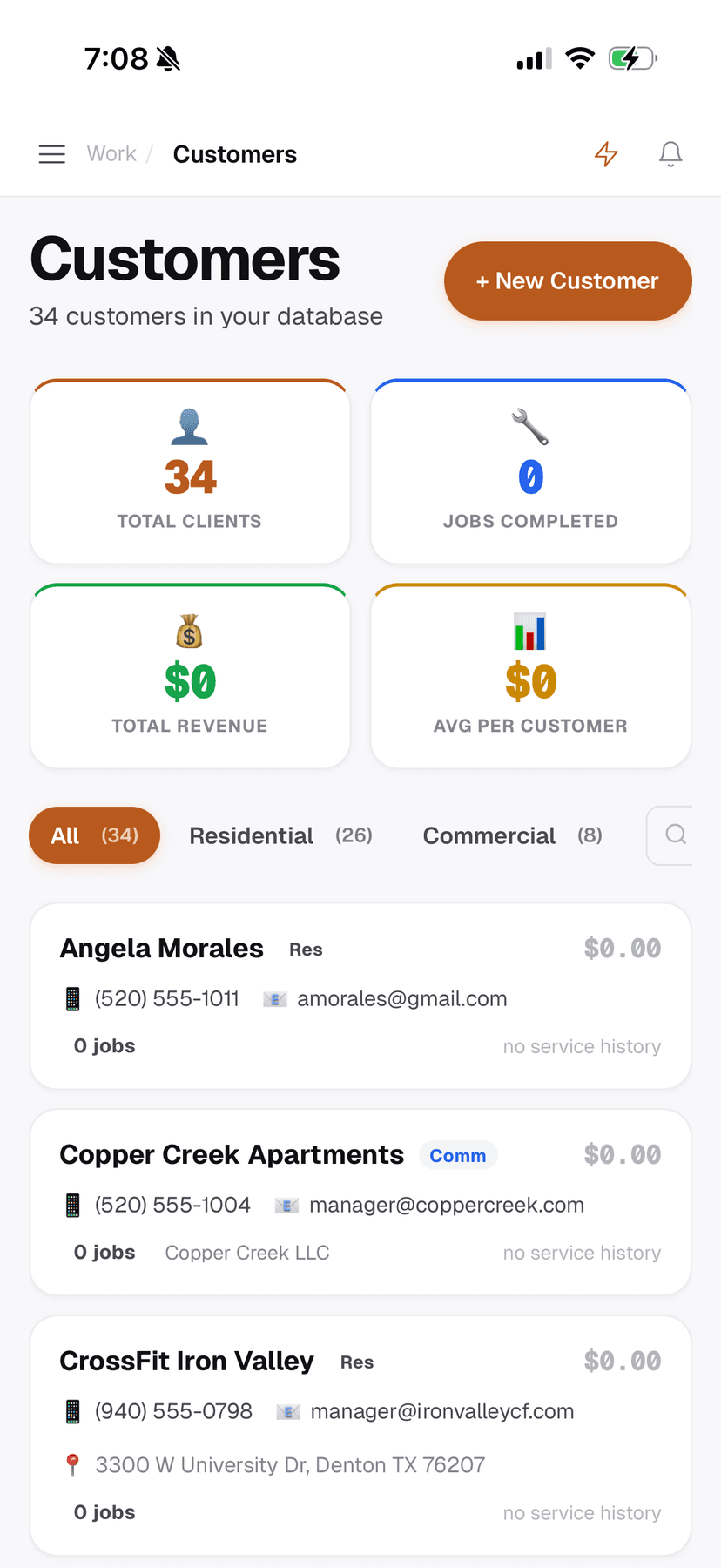
Estimates with Good/Better/Best tiers that customers approve on their phone. Invoicing through Stripe. Maintenance plans with recurring schedules. Customer CRM with full service history. The business management layer exists because a diagnostic tool that doesn't help you get paid is only half the job.
Offline reference tools
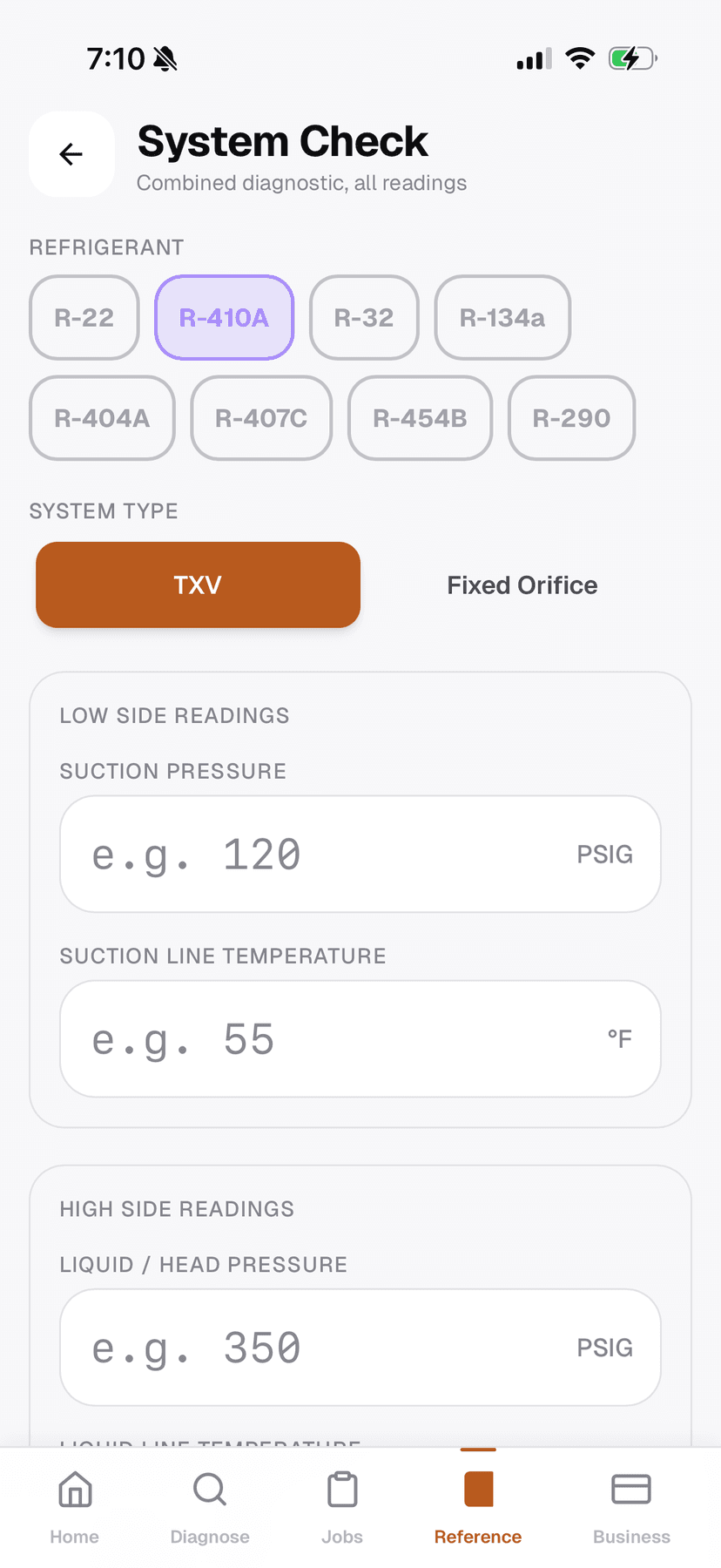
This is where the app earns trust with technicians. PT charts for 9 refrigerants. NEC wire sizing with ampacity tables across 3 temperature ratings. Capacitor sizing. 80+ error codes across 8 manufacturers. Superheat and subcooling calculators with diagnostic hints that tell you what the numbers mean, not just what they are.
All of it works without internet. I bundled everything client-side because the moment a tech is in an attic and the reference tool says “loading...” they'll go back to their laminated card and never open the app again.
Technical decisions
- 14-status job state machine. Jobs move through New → Scheduled → Dispatched → En Route → In Progress → Complete → Invoiced with guard conditions preventing invalid transitions. This was overengineered for a V1, honestly, but it prevents the “how did this job get marked complete with no notes?” problems that plague simpler systems.
- Skill-based dispatch. Techs have skill tags (refrigerant, electrical, install, maintenance). When an emergency comes in, the system suggests qualified and available techs. This sounds simple but the data model underneath it was the hardest part of the build.
- Stripe Connect for payments. Customers pay invoices via Stripe. Money goes directly to the shop's bank account, not through us. This was a deliberate trust decision. HVAC shops are skeptical of software that touches their money.
What I'd do differently
- The app tries to do too much for a V1. I should have shipped with just the reference tools and diagnostic features, validated that techs actually use them, then added the business management layer.
- The competitor comparison table on the landing page was effective for positioning but felt aggressive. I'd soften the tone.
- My understanding of the industry comes from growing up around my dad's company and from market research, but for a real product at scale I'd want to shadow 5-10 techs on actual jobs to validate my assumptions.
Outcome
ColdSnap is live at coldsnap.appwith tiered pricing: Free, $29/month Pro, $79/month Shop. I conceived the product, designed every screen, made every product and business decision, and shipped it to production. The pricing undercuts ServiceTitan by 3-10x while adding offline capability they don't have.